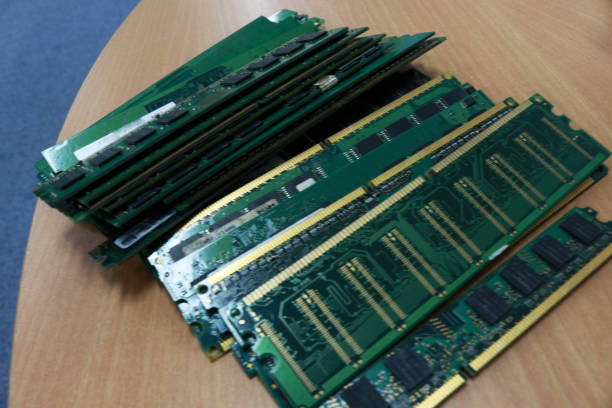
Enterprise servers depend on properly configured memory to deliver consistent speed, reliability, and workload efficiency. Memory configuration decisions directly influence how effectively processors access data and manage demanding applications. Using the correct hpe smart memory configuration helps businesses maintain stable server performance while reducing compatibility concerns.
Incorrect memory installation, unsupported module combinations, and improper DIMM placement can prevent HPE servers from reaching their full potential. Understanding common memory configuration mistakes allows IT administrators to make better upgrade decisions and maintain optimized enterprise environments.
Why Is Proper HPE Smart Memory Configuration Important?
Proper memory configuration ensures that server resources are utilized efficiently. HPE servers are designed with specific memory architectures that require compatible modules and balanced installation methods.
A correctly configured memory setup improves data access speed, workload processing, and overall system stability. Poor memory planning can lead to reduced efficiency, limited scalability, and unnecessary performance restrictions.
The Role of Memory Configuration in Server Performance
Memory configuration determines how quickly a server can process and transfer data. Enterprise applications require sufficient memory bandwidth to handle continuous workloads without interruptions.
When memory modules are installed correctly, servers can use available memory channels effectively. This allows processors to communicate with memory resources more efficiently and maintain consistent performance.
How Incorrect RAM Setup Can Affect Enterprise Workloads
Incorrect RAM installation can create performance limitations across enterprise environments. Unsupported memory combinations may reduce operating speeds, limit available capacity, or prevent certain server features from functioning properly.
A poorly planned memory setup can also impact virtualization, database operations, and other applications that depend heavily on fast memory access.
What Is HPE Smart Memory?
HPE Smart Memory is a server memory technology designed specifically for HPE server platforms. It focuses on compatibility, reliability, and performance optimization through memory modules that are tested for enterprise environments.
Using qualified memory solutions helps organizations maintain predictable server behavior and reduce issues caused by unsupported configurations.
Understanding HPE Server Memory Technology
HPE server memory technology is developed to support enterprise workloads that require consistent performance and reliability. Memory modules are designed according to specific server requirements, including capacity, speed, and architecture.
Selecting appropriate HPE memory ensures that servers can operate according to their intended specifications while maintaining efficient resource management.
How HPE Smart Memory Supports Enterprise Server Reliability
Enterprise environments require memory solutions that can handle continuous workloads. HPE Smart Memory supports server reliability by providing tested compatibility and helping maintain stable system operations.
Proper memory selection reduces configuration risks and allows administrators to build dependable infrastructure for business applications.
What Are the Most Common HPE Smart Memory Configuration Mistakes?
Several configuration mistakes can affect the performance and reliability of HPE servers. Identifying these issues before installation helps organizations avoid unnecessary downtime and hardware limitations.
Memory upgrades should always be planned according to server specifications and workload requirements.
Installing Incompatible Memory Modules
Installing incompatible memory modules is one of the most common mistakes during server upgrades. Every HPE server model supports specific memory types and configurations.
Using unsupported DIMMs can result in reduced performance, system warnings, or failure to properly recognize installed memory. Compatibility verification should always be completed before deployment.
Mixing Unsupported Memory Types or Specifications
Mixing memory modules with different specifications can create performance issues. Differences in memory technology, speed, capacity, and rank may prevent servers from operating efficiently.
Enterprise servers require balanced memory configurations to maintain stability and maximize available performance.
Ignoring Server Memory Population Guidelines
Memory slot placement plays an important role in server efficiency. Installing DIMMs without following recommended population guidelines can reduce bandwidth and prevent optimal memory channel usage.
Administrators should follow proper installation sequences to ensure balanced memory distribution across available channels.
How Does Incorrect Memory Population Impact Server Performance?
Memory population directly affects how efficiently server processors communicate with installed memory. Incorrect placement can limit performance improvements that come from modern server memory architectures.
Following recommended configuration practices ensures that memory resources are used effectively.
Reduced Memory Bandwidth and Processing Efficiency
Incorrect memory population can reduce available bandwidth between processors and memory modules. This may slow down data processing and reduce overall system efficiency.
Servers handling demanding workloads require properly distributed memory resources to maintain consistent performance levels.
Loss of Optimized Memory Channel Performance
Modern server platforms use multiple memory channels to improve data transfer efficiency. Balanced DIMM installation allows servers to take advantage of these channels.
Improper configurations may limit memory interleaving capabilities and reduce processing efficiency.
Potential System Warnings and Hardware Limitations
Unsupported memory configurations may trigger system notifications or performance restrictions. Servers can automatically adjust memory settings when incompatible configurations are detected.
These limitations can prevent organizations from achieving expected performance improvements after memory upgrades.
Why Is Memory Compatibility Important for HPE Server Memory?
Memory compatibility is essential for maintaining reliable enterprise server operations. Choosing suitable modules ensures that hardware components work together efficiently.
Compatibility checks help prevent performance issues and reduce the possibility of configuration errors.
Matching DIMM Specifications With Server Requirements
Each HPE server model has specific memory requirements based on processor generation and system architecture.
Before installing new memory, administrators should review supported DIMM types, capacities, and operating speeds to ensure proper compatibility.
Understanding Capacity, Speed, and Rank Compatibility
Memory capacity determines the amount of data a server can handle, while speed affects how quickly information is accessed. Rank configuration influences communication between memory modules and processors.
Balancing these factors helps maintain efficient server performance.
Avoiding Unsupported Enterprise RAM Configurations
Unsupported RAM combinations can create unnecessary performance limitations. Enterprise memory should always be selected according to validated server requirements.
Proper configuration improves reliability and allows servers to deliver consistent results.
How Can IT Teams Optimize HPE Smart Memory Performance?
Memory optimization requires proper planning, installation, and ongoing monitoring. IT teams should evaluate workload requirements before making configuration changes.
A structured approach helps organizations improve performance while maintaining scalability.
Planning Memory Capacity Based on Workloads
Memory requirements vary depending on applications, databases, and virtualization environments. Selecting capacity based on actual workload demands ensures efficient resource allocation.
Overprovisioning or underprovisioning memory can both impact infrastructure efficiency.
Following Recommended Memory Installation Guidelines
Following installation guidelines helps maintain balanced server performance. Administrators should consider DIMM placement, processor compatibility, and supported configurations before deployment.
Proper installation practices reduce future troubleshooting requirements.
Monitoring Memory Usage and Server Performance
Regular monitoring helps identify memory-related issues and resource limitations. Reviewing usage patterns allows IT teams to determine when optimization or additional capacity is required.
What Role Does Enterprise RAM Selection Play in Server Efficiency?
Enterprise RAM selection affects how effectively servers handle business-critical operations. Choosing suitable memory improves application performance and infrastructure reliability.
High-quality memory solutions support demanding workloads while maintaining system stability.
Supporting High-Performance Enterprise Applications
Enterprise applications require dependable memory resources to operate efficiently. Proper RAM selection ensures that applications receive adequate capacity and bandwidth.
Improving Virtualization and Data Processing Performance
Virtualized environments depend heavily on memory availability. Optimized enterprise RAM configurations help support multiple workloads while maintaining performance consistency.
Organizations looking for reliable server memory options can explore solutions from Ram Exchange to support their infrastructure requirements.
Reducing Performance Bottlenecks Through Proper Memory Planning
Strategic memory planning helps eliminate common performance limitations. Selecting the correct memory configuration improves scalability and allows servers to handle increasing workload demands.
What Server Configuration Factors Should IT Administrators Review?
Before upgrading server memory, administrators should evaluate several configuration factors. Reviewing hardware compatibility and system requirements helps ensure successful deployment.
Server Model and Processor Compatibility
Server models and processors determine supported memory configurations. Administrators should confirm compatibility between installed processors and selected memory modules.
BIOS and Firmware Considerations
BIOS and firmware settings can influence memory recognition and performance. Keeping server firmware updated helps maintain compatibility with installed components.
Memory Configuration Validation Before Deployment
Testing memory configurations before production deployment helps identify potential issues. Validation ensures that installed modules operate correctly with existing server hardware.
What Common Mistakes Should Infrastructure Teams Avoid During Memory Upgrades?
Memory upgrades require careful planning to avoid unnecessary performance problems. Infrastructure teams should consider compatibility, workload requirements, and future expansion needs.
Choosing RAM Based Only on Capacity and Price
Selecting memory only based on capacity or cost can lead to compatibility challenges. Enterprise environments require memory solutions that match technical requirements.
Skipping Compatibility Verification
Failing to verify memory compatibility can create operational issues. Reviewing server documentation before installation helps prevent unsupported configurations.
Upgrading Memory Without Performance Planning
Memory upgrades should support current workloads and future requirements. Planning before installation ensures better resource utilization.
How Can Businesses Improve Server Performance Through Memory Optimization?
Memory optimization improves server efficiency by ensuring resources are properly allocated and configured.
Assessing Current Workload Requirements
Understanding workload demands helps organizations select appropriate memory capacity and configurations.
Implementing Balanced Memory Configurations
Balanced memory installation improves bandwidth utilization and overall server responsiveness.
Planning Future Scalability Needs
Future scalability should be considered when selecting memory solutions. Flexible configurations help organizations expand infrastructure efficiently.
Businesses managing different server platforms can also review compatible supermicro server memory solutions when planning infrastructure upgrades.
Why Choose RAM Exchange for HPE Smart Memory Solutions?
RAM Exchange provides enterprise memory solutions designed to support various server environments. Selecting compatible memory helps organizations maintain performance and reliability.
Compatible HPE Server Memory for Enterprise Environments
Compatible memory solutions help reduce configuration issues and ensure servers operate efficiently.
Quality-Tested RAM Solutions for Reliable Performance
Quality-tested memory supports stable operations and helps organizations maintain dependable infrastructure.
Expert Support for Server Memory Selection and Optimization
Professional guidance helps businesses choose memory solutions that align with server specifications and workload requirements.
Conclusion
Proper HPE Smart Memory configuration is essential for maintaining enterprise server performance and reliability. Avoiding common mistakes such as incompatible modules, incorrect population methods, and poor planning helps organizations achieve better infrastructure efficiency.
A well-optimized memory strategy supports current workloads while allowing businesses to prepare for future growth.
Frequently Asked Questions
What Happens When HPE Smart Memory Is Configured Incorrectly?
Incorrect configuration can result in reduced performance, system warnings, and limited hardware capabilities. Proper compatibility checks help prevent these issues.
How Do I Check HPE Server Memory Compatibility?
Compatibility can be checked by reviewing server specifications, supported memory types, capacity limits, and installation guidelines.
Can Mixing Different RAM Modules Affect Server Performance?
Yes, unsupported combinations can reduce performance and create stability issues. Compatible memory modules should always be used.
How Much Enterprise RAM Does an HPE Server Need?
The required memory depends on workload requirements, applications, virtualization needs, and future expansion plans.
Why Is Memory Optimization Important for Enterprise Servers?
Memory optimization improves efficiency, reduces bottlenecks, and helps servers deliver reliable performance for demanding workloads.