Lenovo Server Memory: How to Choose the Right Configuration for Enterprise Servers
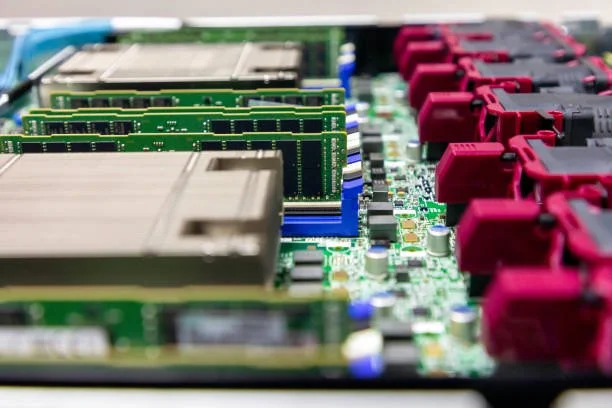
Enterprise IT infrastructure relies heavily on balanced architecture to sustain heavy compute workloads. For IT managers and enterprise procurement teams operating Lenovo infrastructure, configuring system memory correctly serves as the backbone of computing efficiency, virtualization scale, and host stability. Selecting the ideal Lenovo server memory configuration directly determines whether your processors operate at peak multi-channel throughput or suffer from latency bottlenecks.
Configuring server memory involves more than calculating gross gigabyte capacity. System architects must navigate generation-specific channel balances, rank loading, DIMM types, and memory RAS (Reliability, Availability, and Serviceability) modes. At RAM Exchange, we support enterprise IT teams by supplying rigorously tested, high-grade memory solutions that align with strict manufacturer standards and aggressive performance targets.
Understanding Lenovo ThinkSystem Server Memory Architecture
Lenovo ThinkSystem servers span dense 1U rack units, versatile 2U standard chassis, dense multi-node compute clusters, and multi-socket mission-critical mainframes. Choosing compatible memory requires identifying the underlying processor architecture and its native memory subsystem.
Intel Xeon Scalable Family Support
Lenovo ThinkSystem servers utilizing Intel Xeon Scalable processors feature distinct memory controller structures across product generations:
ThinkSystem V1 Platforms (SR630, SR650): 1st and 2nd Gen Intel Xeon Scalable processors feature a 6-channel memory architecture per socket, operating DDR4 memory up to 2933 MT/s.
ThinkSystem V2 Platforms (SR630 V2, SR650 V2): 3rd Gen Intel Xeon Scalable (Ice Lake) processors introduce an 8-channel design per socket, running DDR4 modules up to 3200 MT/s.
ThinkSystem V3 Platforms (SR630 V3, SR650 V3): 4th and 5th Gen Intel Xeon Scalable (Sapphire Rapids / Emerald Rapids) processors deliver an 8-channel DDR5 layout reaching 4800 to 5600 MT/s.
AMD EPYC Processor Family Support
Lenovo systems powered by AMD EPYC processors provide massive memory bandwidth designed for extreme core counts:
ThinkSystem SR645 / SR665 (EPYC 7002 & 7003 Series): 8-channel memory controllers per socket using DDR4 technology.
ThinkSystem SR645 V3 / SR665 V3 (EPYC 9004 Series): 12-channel memory controllers per socket using high-speed DDR5 enterprise RAM.
To achieve maximum data transfer rates, system administrators must install memory across every physical channel. Leaving channels empty creates an asymmetric load on the integrated memory controller and reduces overall system throughput.
Choosing Between RDIMM, LRDIMM, and 3DS RDIMM Formats
Selecting enterprise RAM requires choosing the correct module technology. Lenovo ThinkSystem servers utilize three primary types of ECC server memory, each built for specific density and latency profiles.
Registered DIMMs (RDIMMs)
RDIMMs incorporate a hardware register that buffers the control and address lines between the memory controller and the DRAM chips.
Best Suited For: Standard enterprise workloads, moderate-density hypervisors, and latency-sensitive web applications.
Core Advantages: Lower cost per module, lower native latency compared to buffered alternatives, and high reliability for configurations up to 64GB per DIMM.
Load-Reduced DIMMs (LRDIMMs)
LRDIMMs buffer both control/address lines and the physical data lines using a distributed buffer.
Best Suited For: High-capacity database servers and memory-intensive virtualization pools on DDR3 and DDR4 ThinkSystem platforms.
Core Advantages: Reduces electrical capacitance on the memory bus, allowing administrators to populate 2 DIMMs per channel without severe clock downclocking.
3D Stacked RDIMMs (3DS RDIMMs)
3DS RDIMMs utilize Through-Silicon Via (TSV) vertical stacking to place multiple DRAM dies inside a single physical chip package.
Best Suited For: Ultra-dense DDR4 and DDR5 enterprise deployments requiring 128GB, 256GB, or larger individual DIMMs.
Core Advantages: Enables massive total system memory pools within 1U and 2U form factors.
The Strict Mixing Rule
Lenovo ThinkSystem motherboards strictly prohibit combining different DIMM types in the same chassis. You must never mix RDIMMs, LRDIMMs, and 3DS RDIMMs within the same server. Mixing module types prevents the platform from completing startup diagnostics and results in boot failure.
According to a large-scale enterprise server study published by the IEEE Computer Society, hardware faults originating in memory modules represent more than 40 percent of all hardware-related system crashes in high-density enterprise computing environments. Choosing verified, properly buffered memory architectures prevents these costly downtime events.
To ensure your server configurations match exact hardware baselines, RAM Exchange provides specialized consultation and component sourcing for enterprise IT departments.
Optimizing Memory Channel Balancing and Rank Distribution
Achieving predictable workload performance on Lenovo server memory requires adhering to strict rank and slot population rules.
Understanding Memory Ranks
A memory rank is an independent 64-bit wide block of DRAM chips (72 bits wide with ECC). Memory controllers have a maximum limit on how many physical ranks they can address simultaneously across a single memory channel.
Single-Rank (1R) and Dual-Rank (2R): Deliver low electrical load and allow the system to operate at maximum clock speeds.
Quad-Rank (4R) and Octal-Rank (8R): High-density modules that increase capacity but add electrical capacitance to the channel bus.
Populating DIMMs Per Channel (DPC)
Lenovo servers typically offer one or two physical slots per channel.
1 DPC (One DIMM per Channel): Delivers the highest frequency, the lowest latency, and minimal thermal output.
2 DPC (Two DIMMs per Channel): Maximizes total gigabyte capacity. On older DDR4 systems, 2 DPC configurations may automatically downclock operating frequency to maintain electrical signal integrity.
Correct Installation Sequence on Lenovo ThinkSystem
Lenovo labels server memory slots to indicate proper installation order. Administrators should follow this standardized installation protocol:
Populate primary channels first: Install DIMMs in the primary slots across each channel (typically the slots furthest from the CPU socket).
Populate secondary channels second: Add identical modules to the remaining slots on each channel.
Maintain CPU socket symmetry: Ensure identical module counts, capacities, and rank structures across CPU 1 and CPU 2 in dual-socket systems.
Unbalanced memory configurations force the CPU into asymmetric memory access modes, creating latency spikes across operating system threads.
Advanced Lenovo Memory RAS Modes: Mirroring, Sparing, and Rank Sparing
Lenovo ThinkSystem servers incorporate advanced Reliability, Availability, and Serviceability (RAS) features within the system BIOS/UEFI. These features protect mission-critical environments from unexpected crashes.
Memory Mirroring
Memory mirroring writes duplicate data simultaneously to two redundant channels. If an uncorrectable multi-bit error strikes one channel, the memory controller instantly reads from the mirrored channel without disrupting active operating system operations.
Trade-off: Reduces usable system memory capacity by 50 percent and limits maximum bandwidth.
Rank Sparing
Rank sparing reserves one memory rank per channel as a hot standby. When the system detects high correctable error rates on an active rank, it copies the data to the spare rank and disables the failing rank.
Trade-off: Reduces total available memory by the size of the reserved rank, but maintains full channel speed.
Fault Resilient Memory (FRM)
Lenovo Fault Resilient Memory allows administrators to allocate mirrored memory exclusively to the hypervisor kernel space, while leaving standard guest virtual machine memory non-mirrored. This protects hypervisor stability while retaining high capacity for application workloads.
To explore tested, enterprise-grade memory modules built for high-reliability environments, browse our comprehensive inventory of RAM Exchange products.
Workload-Specific Configuration Strategies
Designing an optimal memory subsystem requires matching capacity and bandwidth to specific enterprise application demands.
Enterprise Virtualization (VMware vSphere, Proxmox, Hyper-V)
Virtualization hosts demand massive capacity to support high VM density.
Configuration Priority: Maximize total RAM using 64GB or 128GB RDIMMs/3DS RDIMMs. Ensure all memory channels contain identical DIMMs to prevent uneven NUMA node latency.
High-Throughput Databases (Microsoft SQL Server, Oracle, SAP HANA)
Database engines hold indexes and data working sets entirely in RAM to avoid storage I/O delays.
Configuration Priority: Balance capacity with raw speed. Choose the fastest supported DDR4 (3200 MT/s) or DDR5 (4800+ MT/s) modules across a 1 DPC layout to maximize bandwidth.
AI, Machine Learning, and High-Performance Computing (HPC)
HPC nodes and AI pipelines constantly feed data sets to accelerator GPUs and vector processors.
Configuration Priority: Memory bandwidth takes precedence. Populate all available memory channels (8 channels on Ice Lake/Emerald Rapids; 12 channels on AMD Genoa) with uniform low-latency modules.
A datacenter reliability analysis published by the National Center for Biotechnology Information (NCBI / NIH) indicates that uncorrectable memory errors cause server outages that average several hours of operational downtime. In enterprise environments, selecting high-grade ECC memory with active error logging reduces unexpected outages significantly.
How RAM Exchange Maximizes Value for Enterprise IT Fleets
Managing enterprise hardware lifecycles requires reliable component sourcing, rapid fulfillment, and secure asset disposition. RAM Exchange delivers full-service memory solutions for enterprise IT managers and datacenters.
The RAM Exchange Hardware Ecosystem
Extensive Component Sourcing: Delivering Tier-1 compliant DDR3, DDR4, and DDR5 modules from 1GB to 128GB and beyond.
Rigorous Quality Assurance: Performing multi-point diagnostic stress testing and timing verification on every module.
One-Year Comprehensive Warranty: Backing every memory unit with complete replacement protection.
IT Asset Disposition (ITAD): Providing secure buyback and recycling programs for decommissioned datacenter hardware.
Maximizing Hardware Budgets
When upgrading large fleets of Lenovo servers, organizations often retire working memory modules. Through our specialized ITAD services, you can monetize your decommissioned components. If you are refreshing your datacenter infrastructure, sell to us to turn surplus memory lots into working capital while meeting certified environmental recycling standards.
Step-by-Step Enterprise Memory Deployment Checklist
Follow this systematic deployment protocol to ensure smooth installation and operation:
Audit Hardware Specifications: Check the Lenovo ThinkSystem manual to confirm supported memory types, maximum frequencies, and voltage limits.
Verify Firmware Compatibility: Update the Lenovo XClarity Controller (XCC) and UEFI firmware to ensure support for modern DRAM revisions and capacity profiles.
Ensure Component Uniformity: Procure identical module capacities, timings, speeds, and rank structures across the entire server.
Execute Controlled Installation: Use proper ESD grounding straps, inspect physical DIMM slots for dust, and lock each module securely into its socket latches.
Run Pre-Production Diagnostics: Execute thorough memory diagnostic tests via the Lenovo XClarity interface before returning the server to active cluster duty.
Conclusion: Build a High-Performance Server Infrastructure
Selecting the right Lenovo server memory configuration enables your organization to maximize workload throughput, lower system latency, and protect hardware reliability. By respecting memory channel balancing, choosing the appropriate DIMM architecture, and implementing intelligent RAS modes, IT managers unlock the full computing power of their enterprise servers.
If your team is planning a memory expansion, upgrading an existing ThinkSystem fleet, or seeking verified enterprise DRAM, contact the enterprise hardware experts at RAM Exchange today.
Frequently Asked Questions
Can I mix different memory capacities in the same Lenovo ThinkSystem server?
While certain Lenovo architectures permit mixing different capacities across specific channels, doing so disables symmetric memory interleaving. This introduces performance degradation and uneven NUMA node access times. For enterprise production workloads, always install identical memory modules across all channels.
What is the difference between TruDDR4 memory and standard enterprise DDR4?
Lenovo TruDDR4 memory contains a specialized signature in the Serial Presence Detect (SPD) chip that allows the system UEFI to verify authentic Lenovo components. However, standard enterprise-grade JEDEC-compliant ECC RDIMMs with identical voltage, frequency, and timing specifications operate reliably in ThinkSystem platforms.
How does memory population affect NUMA performance on dual-socket Lenovo servers?
Non-Uniform Memory Access (NUMA) assigns local memory banks to each processor socket. If you install more memory on Socket 1 than Socket 2, workloads running on Socket 2 must access remote memory across the interconnect bus (UPI or Infinity Fabric). This increases latency and degrades transactional performance. Always maintain identical memory pools on both sockets.
Why is my Lenovo ThinkSystem server running memory at a lower speed than the module rating?
Memory downclocking typically occurs when you populate two DIMMs per channel (2 DPC), when you install modules with mixed speed ratings, or when the processor model does not support the maximum frequency of the memory module. Reviewing the Lenovo system configuration matrix helps you determine the exact operating frequency for your specific hardware setup.