
HPE Server Memory Upgrade Guide
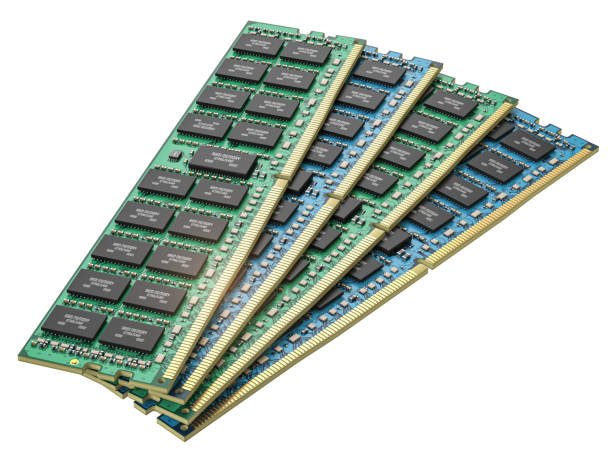
Server performance plays a crucial role in supporting modern business operations. As organizations continue to adopt virtualization, cloud-based applications, analytics platforms, and data-intensive workloads, memory becomes one of the most important resources within a server environment. Insufficient memory can lead to slower processing, reduced application responsiveness, and limitations on future growth. Upgrading server memory is often one of the most cost-effective ways to improve infrastructure performance without replacing existing hardware. Businesses that rely on HPE servers can significantly enhance efficiency and workload capacity by investing in compatible hpe server memory solutions. Understanding how to plan, select, and install the right memory modules helps ensure long-term reliability and maximum return on infrastructure investments.
Why HPE Server Memory Upgrades Matter for Business Performance
Server memory directly impacts how quickly applications process information and how efficiently workloads are handled. While processors and storage devices contribute to overall system performance, memory serves as the active workspace where applications and data are stored while being used. When available memory becomes limited, systems can experience performance degradation that affects both users and business operations. Upgrading memory allows organizations to increase processing efficiency while supporting future workload growth.
Supporting Growing Workloads and Applications
As organizations expand, their servers are required to support a larger number of applications, users, and data transactions. Business software, databases, collaboration platforms, and virtual environments all compete for available memory resources. Over time, workloads that once operated efficiently may begin to experience performance constraints as memory utilization increases.
Adding additional RAM allows applications to access the resources they need without competing for limited memory space. This improves processing speed, enhances user experiences, and helps maintain consistent performance even during periods of high demand. Memory upgrades also provide flexibility for future application deployments and infrastructure expansion.
Eliminating Memory Bottlenecks in Enterprise Environments
Memory bottlenecks occur when active workloads exceed the available RAM within a server. When this happens, systems often rely more heavily on storage resources to compensate for memory shortages, resulting in slower performance and increased latency. These bottlenecks can affect multiple applications simultaneously and reduce overall operational efficiency.
By increasing available memory capacity, organizations can minimize these performance limitations and ensure workloads remain in active memory where they can be processed more efficiently. This leads to faster response times, improved resource utilization, and a more stable computing environment.
Understanding HPE Server Memory Fundamentals
Before planning a memory upgrade, it is important to understand the technologies and specifications that influence server performance. HPE servers support several memory configurations designed to meet the needs of different workloads and business environments.
Types of HPE Server RAM and Memory Technologies
Modern HPE servers commonly utilize DDR4 and DDR5 memory technologies depending on the server generation. These memory modules are designed for enterprise workloads and provide the reliability required for mission-critical applications. Many HPE systems also support Registered DIMMs and Load Reduced DIMMs, which help improve scalability and performance in larger memory configurations.
Error Correcting Code memory is another important feature commonly found in HPE server environments. ECC technology automatically identifies and corrects memory errors before they impact applications or data integrity. This capability helps improve reliability and reduces the risk of unexpected system issues.
Key Factors That Affect Memory Performance
Several factors determine how effectively server memory performs. Capacity is often the most visible factor because it defines how much information can be stored in active memory at one time. Memory speed also influences performance by affecting the rate at which data is transferred between memory and the processor.
Channel configuration, processor compatibility, and DIMM placement can also affect overall efficiency. Properly balanced memory configurations help maximize available bandwidth and ensure the server operates at its full potential. Organizations seeking guidance during this planning stage often rely on trusted providers such as Ram Exchange to identify compatible upgrade options and optimize memory configurations.
Signs Your Server Needs an HPE Server RAM Upgrade
Recognizing the signs of memory limitations can help organizations address performance concerns before they affect productivity and business operations.
Slow System Response and Resource Constraints
One of the most common indicators of insufficient memory is a noticeable decline in application responsiveness. Systems may take longer to process requests, load applications, or complete routine tasks. Performance monitoring tools often reveal consistently high memory utilization levels, indicating that the server is operating near its resource limits.
When these symptoms become frequent, a memory upgrade can provide immediate improvements by increasing the amount of available RAM for active workloads.
Increasing Demands From Virtualization and Data Processing
Virtualization platforms require substantial memory resources because each virtual machine consumes a portion of the available RAM. As organizations deploy additional virtual machines, memory demands increase significantly. Similarly, data analytics, reporting platforms, and database applications often require large memory allocations to process information efficiently.
When workloads continue to expand, upgrading server memory becomes an effective strategy for maintaining performance and supporting future growth without investing in entirely new hardware.
How to Select the Right HPE Server Memory
Selecting the correct memory modules is essential for ensuring compatibility and achieving the desired performance improvements.
Identifying Compatible Memory Modules for Your Server Model
Every HPE server model has specific memory requirements and limitations. Before purchasing memory modules, organizations should review system documentation to determine supported memory types, maximum capacity limits, and compatible speeds. Processor generation and motherboard specifications must also be considered because they directly influence compatibility.
Choosing certified memory modules helps reduce installation issues and ensures reliable long-term operation.
Choosing the Right Capacity and Speed Configuration
Memory capacity requirements vary depending on workload demands. Servers supporting virtualization, databases, and analytics applications often benefit from larger memory configurations, while lighter workloads may require less capacity.
Memory speed should also align with processor and system specifications. Selecting modules that support the highest compatible speed can improve performance while maintaining system stability. The ideal configuration balances capacity, speed, and future scalability requirements.
Preparing for an HPE Server Memory Upgrade
Proper preparation helps minimize risks and ensures a smooth upgrade process.
Reviewing Existing Memory Layouts and Specifications
Before installing new memory modules, administrators should review the existing memory configuration. This includes identifying installed DIMM capacities, slot population patterns, and supported upgrade options. Understanding the current layout helps avoid compatibility issues and ensures new modules are installed correctly.
Creating a Safe Upgrade and Backup Plan
Although memory upgrades are generally straightforward, creating a backup plan is always recommended. Critical data and system configurations should be protected before any hardware modifications are performed. Planning the upgrade window carefully also helps minimize operational disruptions.
Step-by-Step Guide to Installing HP Server Memory
Installing memory correctly is essential for achieving the expected performance improvements.
Powering Down and Accessing the Server Hardware
The server should be completely powered down and disconnected from all power sources before any hardware work begins. Following proper electrostatic discharge precautions helps protect sensitive components from damage during installation.
Installing Memory Modules According to HPE Guidelines
Memory modules should be installed according to HPE's recommended slot population guidelines. Proper placement ensures balanced memory channels and optimal performance. Care should be taken to align each module correctly and secure it firmly within the designated slot.
Verifying Successful Memory Detection After Installation
Once installation is complete, the server should be powered on and checked to confirm that the new memory is recognized correctly. System management tools and BIOS settings can be used to verify total capacity and confirm successful installation.
Common Memory Configuration Best Practices
Proper configuration helps maximize the benefits of a memory upgrade.
Optimizing DIMM Population for Maximum Performance
Balanced DIMM population across available memory channels improves bandwidth and overall system efficiency. Following manufacturer recommendations ensures memory resources are utilized effectively and helps prevent unnecessary performance limitations.
Planning for Future Expansion and Scalability
Organizations should consider future growth when designing memory configurations. Leaving available slots for future upgrades can simplify expansion and reduce long-term infrastructure costs. Businesses exploring hardware lifecycle management strategies may also benefit from programs such as memory buyback services, which can help recover value from surplus memory components while supporting future upgrade initiatives.
Troubleshooting HPE Server Memory Upgrade Issues
Even carefully planned upgrades may occasionally encounter issues that require troubleshooting.
Resolving Memory Detection and Boot Errors
If newly installed memory is not detected, administrators should verify module compatibility, confirm proper installation, and review slot population requirements. Reseating modules often resolves installation-related detection problems.
Addressing Compatibility and Performance Problems
Performance issues following an upgrade may result from mixed memory speeds, unsupported configurations, or firmware limitations. Reviewing system documentation and updating firmware can often resolve these concerns and restore expected performance levels.
Benefits of Upgrading HPE Server RAM
A successful memory upgrade provides both immediate and long-term benefits for enterprise environments.
Improved Virtualization and Application Performance
Additional memory enables organizations to support more virtual machines, larger databases, and resource-intensive applications without sacrificing performance. Workloads can execute more efficiently while maintaining faster response times and improved stability.
Enhanced Reliability and Infrastructure Efficiency
Adequate memory resources reduce the likelihood of bottlenecks and improve overall system reliability. Servers can operate more efficiently under demanding workloads, extending hardware lifespan and supporting future business growth without requiring frequent infrastructure replacements.
How RAM Exchange Supports HPE Server Memory Upgrades
Selecting the right supplier is an important part of any successful memory upgrade project.
High-Quality Memory Solutions for HPE Servers
RAM Exchange provides a wide selection of compatible memory solutions designed specifically for HPE server environments. Organizations can access reliable memory options that meet performance, compatibility, and scalability requirements.
Expert Guidance for Compatibility and Capacity Planning
Memory planning can be complex, particularly in enterprise environments with diverse workloads and infrastructure requirements. Professional guidance helps organizations identify the most suitable upgrade path while avoiding compatibility challenges and unnecessary expenses.
Conclusion
Upgrading HPE server memory is one of the most effective ways to improve server performance, eliminate resource bottlenecks, and support future infrastructure growth. By selecting compatible memory modules, following proper installation procedures, and implementing configuration best practices, organizations can maximize the value of their existing server investments while ensuring reliable long-term performance.
Ready to Upgrade Today? Visit Contact Our Experts to discuss your HPE server memory requirements and find the right solution for your infrastructure.
FAQs
1. How do I know if my HPE server supports additional memory?
You can verify supported memory capacities, speeds, and module types by reviewing your server's technical documentation or consulting a memory compatibility specialist.
2. What is the difference between RDIMM and LRDIMM memory?
RDIMMs use a register to improve signal integrity, while LRDIMMs reduce electrical load and support higher memory capacities in large server configurations.
3. Will upgrading server memory improve virtualization performance?
Yes. Additional memory allows more virtual machines to run efficiently while improving responsiveness and reducing resource contention.
4. Is ECC memory necessary for HPE servers?
ECC memory is highly recommended because it detects and corrects memory errors, improving reliability and protecting critical business workloads.
5. How often should server memory be upgraded?
Memory upgrades should be considered whenever workload growth, virtualization expansion, or performance monitoring indicates that existing memory resources are becoming a limitation.