
How Computer Memory Solutions Support Business Continuity and Disaster Recovery
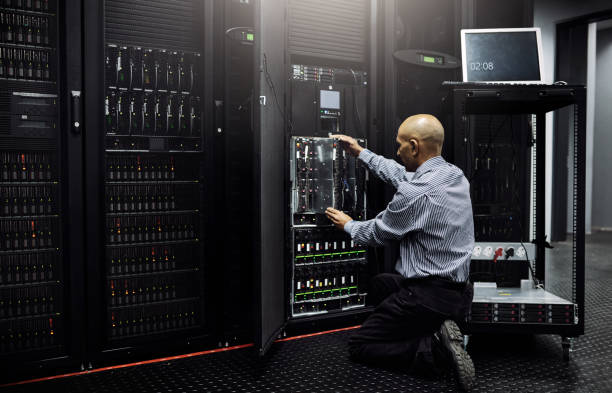
Business continuity and disaster recovery depend on reliable IT infrastructure that can keep critical systems operating during disruptions, maintenance, and recovery activities. While organizations often focus on backup systems, storage, networking, and power redundancy, server memory is equally important. Insufficient RAM can affect application performance, virtualization capacity, and workload availability. Professional computer memory solutions help businesses maintain appropriate memory capacity, support demanding workloads, and improve the reliability of business-critical infrastructure.
Why Computer Memory Matters for Business Continuity
Computer memory provides the temporary working space required by operating systems, applications, databases, virtual machines, and other workloads. When servers have insufficient memory, applications may experience slower response times and increased resource contention. Maintaining adequate memory capacity therefore forms an important part of keeping essential IT systems stable and available.
Supporting Reliable IT Operations During Critical Workloads
Business applications often operate continuously and may require substantial memory resources. Databases, enterprise applications, virtualization platforms, analytics systems, and communication services all depend on sufficient RAM. Adequate memory allows servers to process active workloads efficiently while reducing unnecessary pressure on other infrastructure resources.
Reducing Memory-Related Performance and Availability Risks
Insufficient memory can become a performance bottleneck when multiple workloads compete for limited resources. Systems may rely more heavily on storage-based virtual memory, which can reduce responsiveness. Proactive memory management allows IT teams to identify capacity limitations before they affect critical applications or business operations.
The Role of Computer Memory Solutions in Disaster Recovery
Disaster recovery requires infrastructure capable of restoring essential applications and services following an outage, hardware failure, or other disruption. Recovery systems must have enough computing resources to support workloads while normal infrastructure is being restored.
Maintaining Server Performance During Recovery Operations
Recovery operations can create additional demands because multiple applications and services may need to restart within a limited period. Adequate memory allows recovery servers to handle these workloads more effectively. This can help organizations maintain predictable system performance while critical services are brought back online.
Supporting Reliable Access to Critical Business Applications
Recovery environments should be designed around the resource requirements of the applications they are expected to support. If recovery servers have insufficient memory, virtual machines and applications may not operate at the required capacity. Memory planning should therefore be included when defining recovery infrastructure and business continuity objectives.
How Enterprise RAM Contributes to Server Resilience
Enterprise RAM supports server environments that require consistent performance, reliability, and scalability. Choosing the right memory configuration can help businesses maintain adequate resources as workloads change.
Matching Enterprise RAM Capacity With Business Workloads
Memory requirements vary according to applications, databases, virtualization density, and server configurations. Organizations should review current utilization and workload requirements before determining the appropriate RAM capacity. Matching memory to actual infrastructure needs helps prevent both insufficient capacity and unnecessary hardware expenditure.
Preventing Memory Constraints From Affecting Server Availability
When available memory becomes limited, applications may compete for resources and server performance can decline. Strategic memory upgrades can provide additional capacity for active workloads and help maintain consistent performance across business-critical systems.
Why Memory Planning Should Be Part of Business Continuity Strategy
Business continuity planning should address every infrastructure resource required to maintain essential services. Memory should be evaluated alongside processors, storage, networking, power, and backup systems.
Assessing Current Memory Capacity and Infrastructure Requirements
IT teams should maintain accurate records of memory installed across critical servers. Reviewing memory utilization, available slots, supported capacities, and workload requirements can help identify systems that may require upgrades. Regular assessments also make it easier to prioritize infrastructure investments.
Planning Memory Capacity for Future Growth and Recovery Needs
Memory planning should account for future workload expansion and disaster recovery requirements. Increasing application usage, additional virtual machines, growing databases, and new computing demands can increase RAM requirements over time. Planning ahead helps organizations avoid capacity shortages during periods when reliable system performance is most important.
How Computer Memory Solutions Support Business Continuity Planning
Appropriate memory configurations can support consistent performance across primary infrastructure and recovery environments. This is especially important for organizations that depend on virtualization and distributed workloads.
Maintaining Consistent Performance Across Critical Systems
Standardized memory configurations can simplify infrastructure management and make it easier to maintain consistent performance across multiple servers. IT teams can also simplify maintenance and replacement processes when compatible components are consistently used throughout an environment.
Supporting Redundancy, Virtualization, and Workload Recovery
Virtualization allows organizations to distribute workloads across physical systems and can support recovery strategies when properly designed. Each virtual machine requires memory resources, so host servers must have adequate capacity to support the intended workload density. Appropriate RAM planning can therefore contribute to more flexible workload recovery.
Key Factors to Consider When Selecting Enterprise Memory
Selecting memory for business-critical infrastructure requires careful consideration of technical specifications, reliability, and long-term availability.
Compatibility, Capacity, and Reliability Requirements
Memory should match the server's supported technology, module type, capacity, speed, architecture, and configuration requirements. Enterprise systems may also require specific error-correcting capabilities. Verifying compatibility before purchasing helps reduce the risk of installation problems and unexpected performance issues.
Quality Standards and Long-Term Hardware Availability
Organizations should consider memory quality and availability when planning infrastructure upgrades. Long-term access to compatible components is particularly important for businesses operating established server environments where consistent hardware configurations are required.
Benefits of Proactive Memory Management for IT Resilience
Proactive memory management allows organizations to address capacity requirements before they become operational problems. Regular reviews can reveal systems that are approaching memory limits or no longer match current workload requirements.
Reducing Unexpected Hardware and Performance Issues
Monitoring memory utilization can help IT teams identify potential constraints early. Planned upgrades can be scheduled around maintenance windows and infrastructure requirements rather than being triggered by unexpected performance problems.
Improving Infrastructure Stability and Operational Continuity
Maintaining adequate memory across critical systems can contribute to more stable server performance. Businesses can support applications more consistently and reduce the likelihood that memory limitations will interfere with important operations.
How to Evaluate Computer Memory Solutions for Business Resilience
Businesses should evaluate both the memory components and the supplier providing them. Technical compatibility, product availability, and supplier expertise can all influence the success of an infrastructure upgrade.
Reviewing Memory Specifications and Server Compatibility
IT teams should verify server models, supported memory types, maximum capacity, available slots, module configuration, and performance requirements before purchasing. Manufacturer specifications should be reviewed to ensure that selected components are appropriate for the intended systems.
Evaluating Supplier Expertise, Availability, and Support
A knowledgeable supplier can help businesses identify appropriate memory configurations for different server platforms. Organizations should also consider inventory availability, product quality, technical support, and the supplier's ability to support both immediate upgrades and future infrastructure requirements.
Why Choose RAM Exchange for Computer Memory Solutions?
Businesses managing critical infrastructure may benefit from working with a specialized memory provider that understands enterprise hardware requirements.
Enterprise RAM Solutions for Business-Critical Infrastructure
Ram Exchange provides memory solutions for enterprise and data center environments where compatibility, capacity, and availability are important considerations. Access to appropriate server memory can help organizations upgrade existing systems while maintaining the resources required for demanding workloads.
Supporting Memory Planning and Server Resilience Requirements
A specialized memory provider can support businesses as they assess current capacity, plan upgrades, and address changing infrastructure requirements. Proper memory sourcing can help organizations maintain compatible configurations across servers while preparing for future workload growth and recovery needs.
Supermicro Memory for Business-Critical Infrastructure
Supermicro server platforms can support demanding enterprise workloads and may require specific memory configurations based on individual server models and system architectures. Organizations using these platforms should verify memory requirements before purchasing components because supported memory types, capacities, speeds, and configurations can differ between systems.
Choosing suitable supermicro memory can help businesses address the memory requirements of compatible Supermicro server environments. Additional RAM can support virtualization, databases, application hosting, analytics, and other workloads that require substantial memory capacity. IT teams should review the exact server model, processor configuration, supported memory technology, and maximum capacity before completing an upgrade.
Memory planning is also important when designing disaster recovery environments. Recovery servers should have sufficient RAM to support the workloads they are expected to restore. If recovery infrastructure has significantly less memory than production systems, organizations may experience reduced workload capacity during recovery operations. Aligning memory resources with recovery objectives can therefore improve the practicality of business continuity plans.
Conclusion
Computer memory is an important component of business continuity and disaster recovery because it directly affects server capacity, application performance, virtualization, and workload availability. Organizations should evaluate RAM requirements as part of their broader infrastructure strategy and consider both current utilization and future growth. Proactive memory planning, compatibility verification, reliable sourcing, and appropriate capacity can help businesses maintain stable IT operations and prepare their infrastructure for recovery requirements.
FAQs
1. Why is computer memory important for business continuity?
Memory provides servers with the resources required to run applications, databases, virtual machines, and other critical workloads. Adequate RAM helps reduce performance constraints and supports consistent system operation.
2. How does RAM support disaster recovery?
Recovery systems require sufficient computing resources to restore and operate critical applications. Adequate memory helps recovery servers handle workloads without unnecessary capacity limitations.
3. How much enterprise RAM does a business need?
The appropriate capacity depends on server specifications, workload requirements, virtualization density, application usage, database demands, and future infrastructure growth. Businesses should assess actual utilization before planning upgrades.
4. Why is memory compatibility important for enterprise servers?
Enterprise servers support specific memory technologies, capacities, speeds, and configurations. Using incompatible components can cause instability, reduced performance, or system operation issues.
5. What should businesses consider when choosing a memory supplier?
Businesses should evaluate technical expertise, compatibility, product quality, availability, support, scalability, and the supplier's ability to meet both current and future infrastructure requirements.