Enterprise servers require reliable and compatible memory configurations to maintain stable performance and prevent hardware-related issues. Selecting the right memory technology is essential because unsupported modules can reduce efficiency, trigger compatibility warnings, and create operational challenges. HP Smart Memory is designed to provide optimized performance, reliability, and compatibility for supported server platforms. Businesses looking for dependable HP Smart Memory solutions must evaluate server specifications, memory requirements, and validation standards before upgrading their infrastructure.
Why Is HP Smart Memory Compatibility Important for Enterprise Servers?
Memory compatibility plays a critical role in enterprise server reliability. HP servers depend on properly validated memory modules to deliver consistent performance across demanding workloads. Using compatible memory ensures systems operate efficiently while reducing risks associated with unsupported configurations. Proper planning helps IT teams maintain stable infrastructure and avoid unnecessary troubleshooting.
Preventing Server Performance Issues and Hardware Errors
Unsupported memory configurations can lead to reduced server performance, system instability, and hardware-related errors. When memory modules do not match server requirements, systems may experience limitations that affect workload processing and overall efficiency. Compatible HP Smart Memory helps maintain proper communication between server components, improving reliability and performance.
Ensuring Reliable Memory Deployment in Business Environments
Enterprise environments require memory solutions that can operate continuously under demanding conditions. Validated memory configurations help businesses deploy reliable infrastructure while minimizing compatibility risks. Proper memory selection ensures servers support business applications, virtualization platforms, and other critical workloads efficiently.
What Is HP Smart Memory?
HP Smart Memory is an enterprise memory technology designed specifically for HP server platforms. It provides enhanced compatibility, reliability, and performance through validation processes that ensure memory modules meet server requirements. Understanding how HP Smart Memory works helps organizations make better decisions when upgrading or expanding server infrastructure.
Understanding HP SmartMemory Technology and Its Role in Servers
HP SmartMemory technology includes advanced validation and optimization features designed to improve server reliability. Memory modules are tested to ensure they meet specific performance and compatibility standards for HP servers. This helps organizations reduce configuration issues while maintaining consistent system performance.
How HP Smart Memory Differs From Standard Server RAM
Unlike standard server RAM, HP Smart Memory is specifically validated for HP server environments. It is designed to work with server firmware and hardware requirements, helping reduce compatibility issues. Enterprise validation ensures memory modules deliver dependable performance for long-term business operations.
Why Do Unsupported Memory Configurations Create Problems?
Unsupported memory configurations can negatively impact server performance, reliability, and maintenance efficiency. When memory modules do not match server requirements, organizations may face unexpected limitations and increased troubleshooting efforts. Understanding these risks helps IT teams avoid configuration problems before they affect operations.
Reducing Server Stability and Performance
Incorrect memory configurations may prevent servers from operating at optimal performance levels. Unsupported modules can create instability, reduce memory efficiency, and limit workload capabilities. Using validated memory solutions helps maintain consistent performance while supporting demanding enterprise applications.
Triggering Compatibility Warnings and Hardware Limitations
HP servers may identify unsupported memory configurations through system monitoring and firmware checks. These warnings indicate potential compatibility issues that may affect system operation. Selecting validated memory helps avoid unnecessary alerts and ensures hardware functions according to manufacturer specifications.
Increasing Troubleshooting Time for IT Teams
Incorrect memory installations often require additional troubleshooting and maintenance efforts. IT teams may spend valuable time identifying compatibility issues instead of focusing on strategic infrastructure improvements. Proper memory selection simplifies deployment and reduces administrative challenges.
What Factors Determine HP Smart Memory Compatibility?
Several factors influence whether memory modules are compatible with HP servers. IT teams must evaluate server models, memory specifications, and DIMM requirements before installation. Careful compatibility planning ensures memory upgrades deliver expected performance without creating operational issues.
Checking HP Server Model and Generation Requirements
Different HP server generations support specific memory technologies and configurations. Before upgrading, organizations should confirm server model requirements, supported memory types, and platform limitations. This ensures selected memory modules align correctly with existing hardware.
Matching Memory Specifications and Module Types
Memory specifications such as capacity, speed, module type, and technology generation must match server requirements. Selecting incorrect specifications can reduce performance or prevent proper system operation. Compatible memory configurations help servers maintain stability and efficiency.
Understanding Enterprise DIMM Compatibility
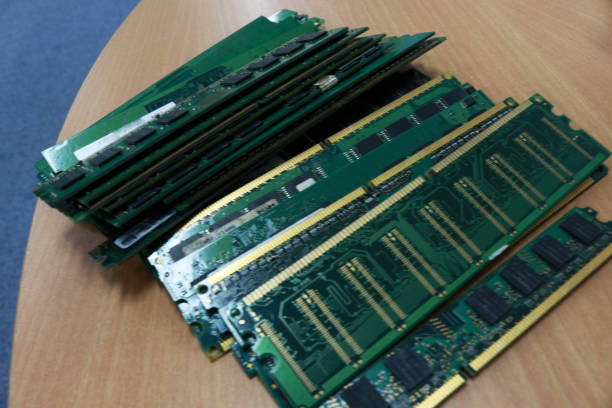
Enterprise DIMMs are designed for server environments where reliability and consistency are essential. Understanding DIMM compatibility ensures memory modules work correctly with server architecture, processors, and supported configurations.
How Does Memory Validation Improve Server Reliability?
Memory validation is an essential process that ensures enterprise memory modules meet performance and compatibility standards before deployment. Validated memory reduces the risk of failures and supports consistent server operation across different workloads. Businesses benefit from improved reliability and reduced infrastructure management challenges.
Testing Memory Modules Before Enterprise Deployment
Testing memory modules before deployment helps verify stability, compatibility, and performance. Enterprise-grade validation ensures modules can operate effectively within supported server environments while reducing the possibility of configuration issues.
Reducing Failures Through Compatibility Verification
Compatibility verification identifies potential problems before memory is installed into production environments. This proactive approach helps organizations minimize downtime risks and maintain reliable server performance.
Supporting Consistent Performance Across Server Environment
Validated memory configurations provide predictable performance across enterprise infrastructure. Consistency is especially important for businesses managing multiple servers and complex workloads.
What Should System Administrators Check Before Installing HP Server RAM?
Installing HP server RAM requires careful verification to ensure compatibility, stability, and expected performance. System administrators should review server specifications, memory requirements, and configuration guidelines before deployment. A structured approach reduces the risk of unsupported setups and helps organizations maintain reliable server infrastructure.
Reviewing Server Documentation and Memory Specifications
Before installing new memory modules, administrators should review official server documentation and supported memory specifications. This includes checking compatible memory generations, supported capacities, module types, and configuration limitations. Proper documentation review ensures selected memory aligns with server requirements.
Confirming Capacity, Speed, and DIMM Configuration
Memory capacity, speed, and DIMM placement directly influence server performance. Administrators should verify supported configurations to ensure memory modules operate efficiently. Correct DIMM configuration helps maintain balanced performance while avoiding issues caused by improper installation.
Avoiding Mixed or Unsupported Memory Setups
Mixing different memory types, speeds, or unsupported modules can create stability issues. Organizations should maintain consistent memory configurations whenever possible to improve reliability and simplify server management.
How Can Businesses Choose Compatible Server Memory?
Selecting compatible server memory requires evaluating performance needs, reliability expectations, and infrastructure requirements. Businesses should focus on enterprise-grade solutions that provide consistent operation while supporting current workloads and future expansion. Choosing the right memory partner also helps organizations reduce compatibility risks.
Selecting Enterprise-Grade Memory Modules
Enterprise-grade memory modules are designed for continuous operation and demanding workloads. They provide improved reliability, compatibility, and performance compared with generic memory products. Selecting validated enterprise memory helps businesses maintain stable server environments.
Working With Trusted Memory Suppliers
Working with experienced memory suppliers helps organizations identify suitable memory solutions based on server requirements. A reliable supplier provides tested products, technical guidance, and compatibility support to simplify the upgrade process. Businesses can explore Ram Exchange for enterprise memory solutions designed to support various server platforms.
Balancing Performance Requirements With Budget Considerations
While cost is an important factor, businesses should consider long-term reliability and performance when selecting memory. Choosing lower-quality or unsupported memory may increase maintenance requirements and operational risks. A balanced approach ensures organizations receive reliable performance while managing infrastructure costs effectively.
What Common HP Smart Memory Installation Mistakes Should Businesses Avoid?
Incorrect memory installation decisions can create performance limitations and reliability problems. Businesses should understand common mistakes before upgrading HP server memory to ensure successful deployment. Proper planning helps avoid unnecessary downtime and improves the overall value of memory investments.
Using Generic Memory Without Proper Validation
Generic memory modules may not provide the compatibility and reliability required for enterprise servers. Without proper validation, organizations may experience performance limitations or unexpected system issues. Using tested memory designed for enterprise platforms improves stability.
Ignoring Server Generation Compatibility
Different HP server generations support different memory technologies and configurations. Installing memory without verifying server generation compatibility can result in unsupported configurations. Administrators should confirm platform requirements before selecting memory modules.
Installing Incorrect DIMM Types or Configurations
Using incorrect DIMM types or improper memory layouts can affect server performance. Organizations should follow recommended configurations to ensure memory operates efficiently and supports expected workloads.
How Does HP Smart Memory Support Long-Term Server Performance?
Reliable memory infrastructure is essential for maintaining server performance over time. HP Smart Memory supports long-term efficiency by providing validated compatibility, stable operation, and scalability options. Businesses that implement proper memory planning can improve infrastructure reliability while reducing operational challenges.
Improving Server Reliability for Enterprise Workloads
Enterprise workloads require memory solutions capable of handling continuous processing demands. HP Smart Memory helps maintain reliable performance by ensuring memory modules are designed and validated for supported server platforms.
Supporting Scalable Infrastructure Growth
As businesses expand, server requirements continue to increase. Compatible memory solutions allow organizations to scale infrastructure gradually by adding capacity when required. This flexibility supports changing workloads without unnecessary hardware replacement.
Reducing Downtime Through Proper Memory Planning
Proper memory planning reduces the risk of performance issues and configuration errors. By selecting compatible and validated memory modules, businesses can improve server availability and minimize disruptions caused by memory-related problems.
How Can RAM Exchange Help With HP Smart Memory Solutions?
Choosing the right memory supplier plays an important role in successful server upgrades. RAM Exchange provides businesses with tested memory solutions, technical expertise, and support for different enterprise server platforms. Its solutions help organizations improve infrastructure performance while maintaining compatibility and reliability.
Providing Tested and Compatible HP Server RAM
RAM Exchange offers tested HP server memory solutions designed to support enterprise workloads. These memory modules help organizations maintain stable server performance while reducing risks associated with unsupported configurations.
Supporting Enterprise DIMM Selection and Memory Validation
Selecting the correct DIMM configuration requires technical knowledge and compatibility assessment. RAM Exchange helps businesses identify suitable memory options based on server requirements, workload demands, and infrastructure goals.
Helping IT Teams Deploy Reliable Server Memory Upgrades
IT teams can improve upgrade success by working with experienced memory specialists. RAM Exchange supports organizations in selecting reliable memory solutions while ensuring compatibility across different enterprise environments.
Businesses managing mixed server environments can also evaluate options such as Lenovo server memory solutions to support compatible and reliable infrastructure expansion.
Conclusion
HP Smart Memory compatibility is essential for maintaining reliable enterprise server performance and avoiding unsupported memory configurations. By selecting validated memory modules, reviewing server requirements, and planning upgrades carefully, organizations can improve stability, reduce downtime, and support long-term infrastructure growth.
Businesses looking to optimize their hardware lifecycle can explore sell computer memory options to manage existing memory assets while upgrading their enterprise infrastructure.
Upgrade Memory Solutions with RAM Exchange Contact for expert guidance on compatible HP server memory upgrades.
Frequently Asked Questions About HP Smart Memory Compatibility
Can Any DDR Memory Work in an HP Server?
No, not all DDR memory modules are compatible with HP servers. Each server model supports specific memory generations, capacities, and configurations. Organizations should verify compatibility before installation to avoid unsupported setups.
How Do I Verify HP Server RAM Compatibility?
HP server RAM compatibility can be verified by checking server documentation, supported memory specifications, platform requirements, and module details. Working with a trusted supplier also helps ensure the selected memory meets compatibility standards.
Why Should Businesses Use Validated Enterprise Memory?
Validated enterprise memory provides improved reliability, compatibility, and performance. It reduces the risk of configuration issues and helps maintain stable server operations across demanding workloads.
Can Unsupported Memory Damage an HP Server?
Unsupported memory may not physically damage a server, but it can create performance issues, compatibility warnings, and system instability. Using approved memory configurations helps maintain reliable operation.
How Often Should Businesses Review Server Memory Configurations?
Businesses should regularly review memory configurations when workloads change, applications expand, or infrastructure upgrades are planned. Regular assessment helps maintain optimal performance.